
Mellstroy Login: Sign In to Your Casino Account
Log in to Mellstroy with your phone number or email and password, or with a Google, Yandex, Telegram, Mail.ru or Odnoklassniki account. If the site will not open, take a current address from the Telegram channel or support chat: your account, balance and bonuses carry over to a mirror, the Android APK and the PWA.
18+ · New players only · Operator bonus terms apply · Play responsibly
 Written by Anusha Khan · Checked by: Denise MatheyUpdated
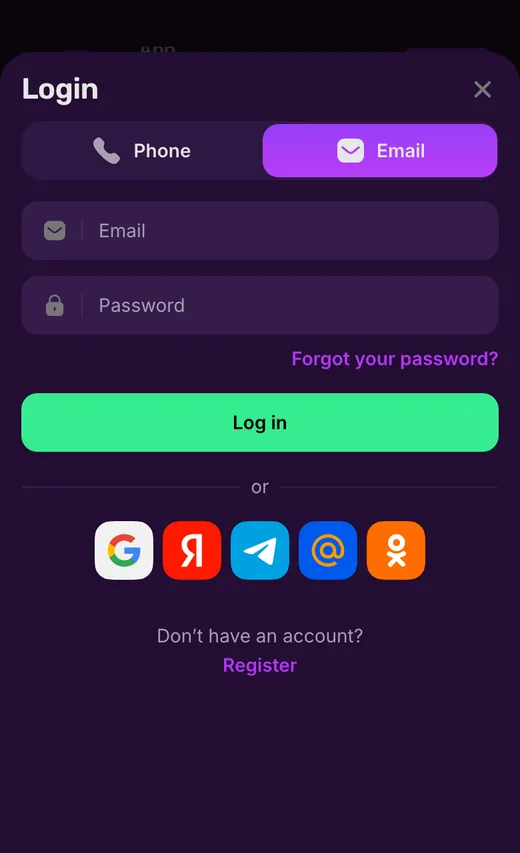
- Enter your Mellstroy phone number or email and password, or choose a social sign-in icon on the form.
- The social row under the form shows Google, Yandex, Telegram, Mail.ru and Odnoklassniki.
- Your account also works on mirrors, the APK and the PWA.
- If the site will not load, Mellstroy's Telegram channel and support chat provide current addresses.
Mellstroy login at a glance
Use these account details to choose a sign-in method and locate the help you need.
| Detail | How it works |
|---|---|
| Login options | Phone or email, with a password |
| Social icons shown | Google, Yandex, Telegram, Mail.ru, Odnoklassniki |
| Account protection | Password only; no two-factor or biometric login |
| Account allowance | 1 per person |
| Active sessions | Listed in Settings, with an option to end each session |
| Balances | Main, casino bonus, sports bonus and Mell Points are separate |
| Interface languages | 7, including English |
| Support | Online chat, 24/7 |
If you do not have an account yet, the account creation steps cover the fields you need before signing in.
Mellstroy login screen by screen
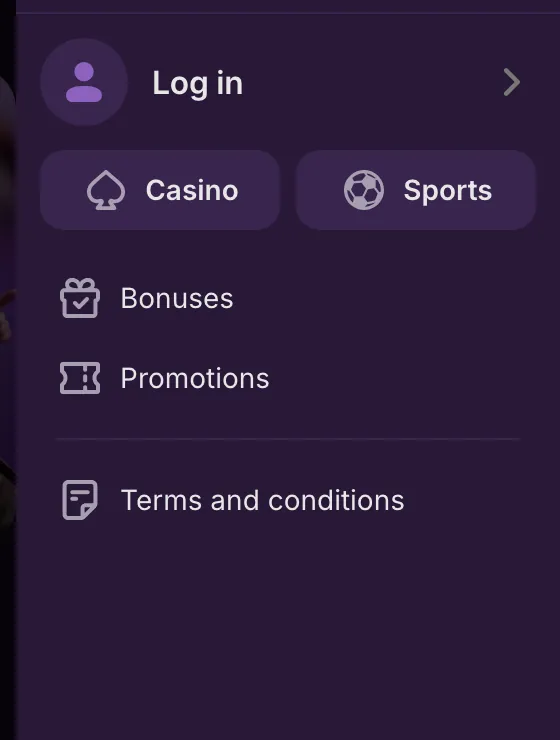
Open the menu
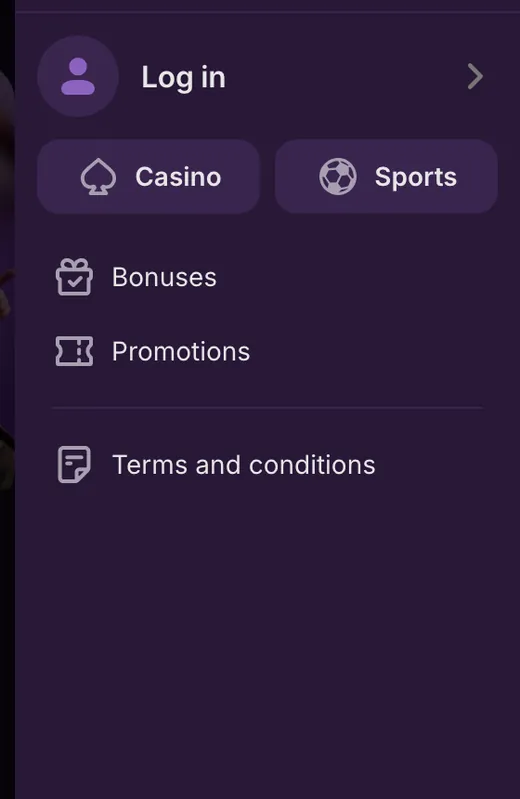
Tap Menu in the bottom bar, the first button on the left, then Log in.
You see: The side menu lists Log in, Casino, Sports, Bonuses, Promotions and Terms and conditions.
Pick a tab
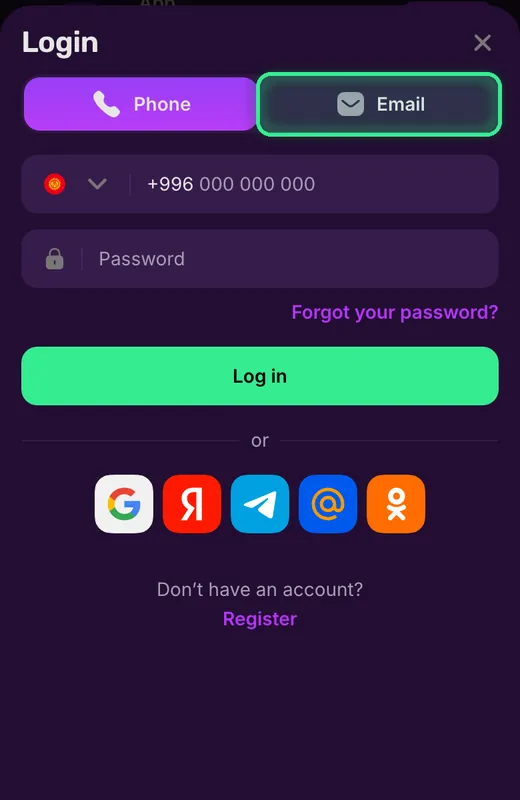
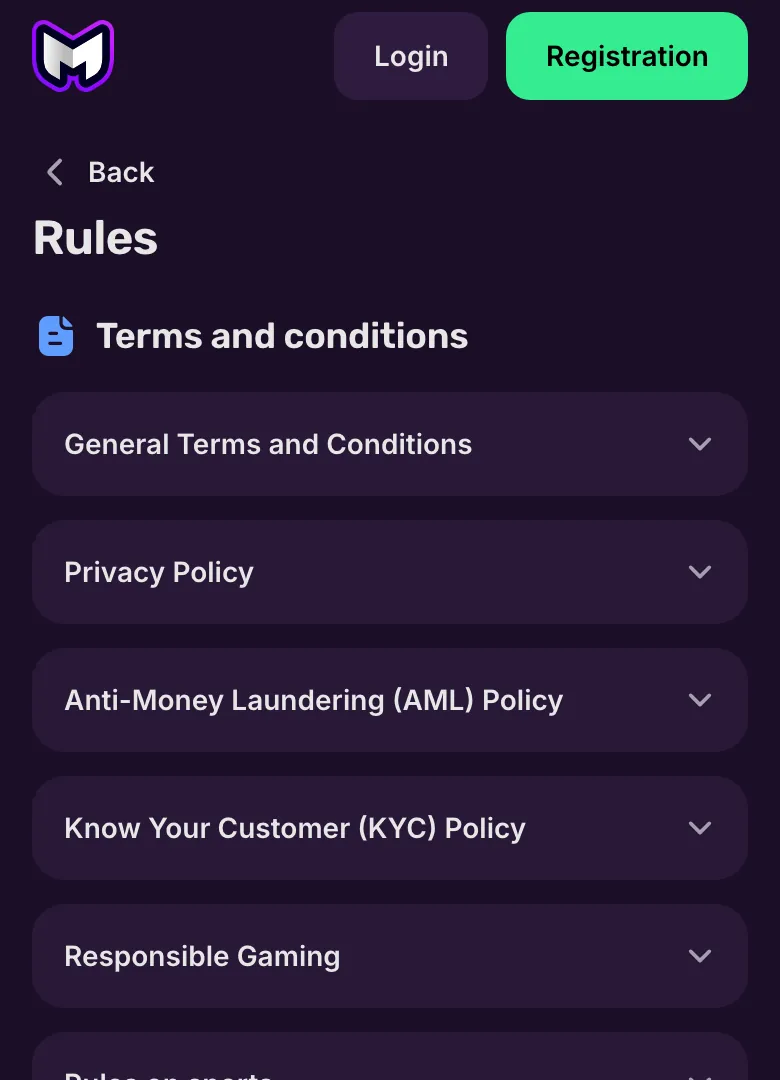
In the Login window press Email (framed on the screenshot) or keep Phone.
You see: A phone or Email field and a Password field appear under the tabs.
Mellstroy Casino login methods
Phone and email have separate tabs in the login form. Choose the one that matches your account before entering your password.
- 1
Open the login form
Select the login option in the website header or the sign-in entry in the side menu. - 2
Choose phone or email
Use the phone tab for a number, or the email tab for an email address. - 3
Enter your account details
For phone login, include the country code. For email, enter the account email address. Add your password. - 4
Submit the form
Press the sign-in button below the password field. The recovery link is in the same form if you need a new password.
The sign-in form asks for your password; the minimum of 8 characters belongs to the registration form. You do not choose a new account currency when logging in.
An existing login also opens your account from the Mellstroy home page, so you can return to the casino without creating another account.
Mellstroy login not working: what to do
A page that will not load needs a different fix from a form that rejects your details. Start with the symptom below; password recovery applies to the account, while a mirror changes the address you use.
Wrong login type
Switch between the phone and email tabs to match your account. Include the country code when using a phone number.Forgotten password
Use the forgot-password link, choose phone or email and enter your contact details. Request the code with the recovery button.The address will not open
Mellstroy's Telegram channel and chat give current addresses; access through a mirror uses your existing login.VPN, proxy or TOR
The Terms prohibit these connections. Turn them off before attempting to sign in; Mellstroy uses access-blocking systems.Suspended or inactive account
Ask the chat or email [email protected] about account status. A mirror does not resolve an account suspension.
If the account is suspended
Section 9.1 of the Terms covers account suspension. Send an account-access complaint to the chat or [email protected]: Mellstroy acknowledges complaints within 1 working day and gives a substantive response within 14 days. These are complaint-handling periods, not a promise of immediate chat replies.
If Mellstroy requests identity documents, the identity verification requirements explain what to supply. Requested documents can affect whether an account stays open.
When you have lost the phone number or email attached to the account, help with confirmed contact details comes through support. Password recovery sends its code to the contact you enter; it cannot change that contact for you.
Request a password recovery code
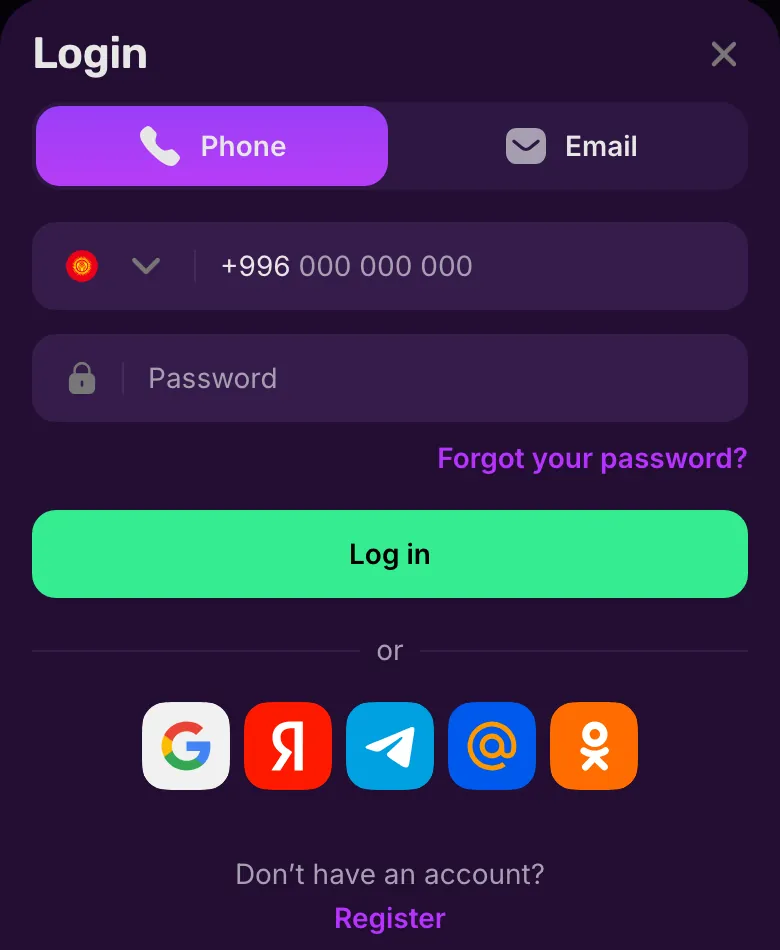
The Forgot your password? link sits just below the password field; the recovery window lets you choose where the code goes.
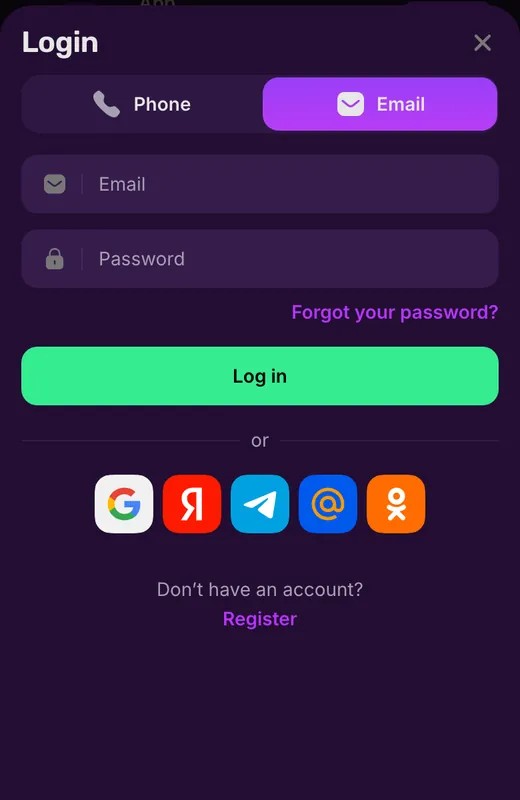
Open password recovery
Press Forgot your password? below the password field.
You see: The login window has phone and email tabs, the password field and a recovery link above the sign-in button.
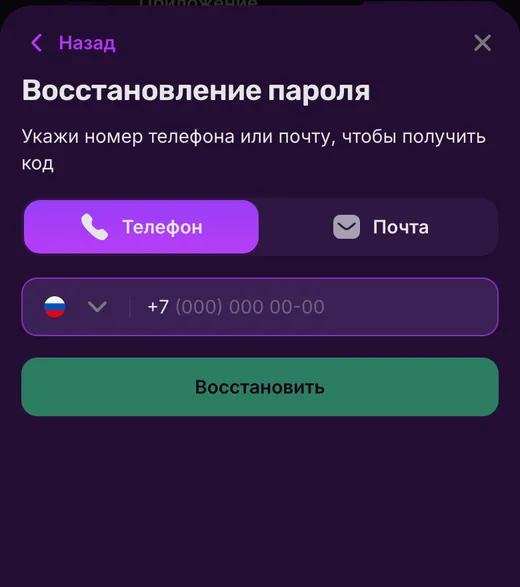
Choose the contact and request a code
Choose Phone or Email, enter that contact and press the recovery button.
You see: The recovery window asks for a phone number or email to receive a code. Use the contact associated with your account.
If not: If you cannot access the confirmed contact, ask support to change it.
For an account you can still open, changing the password happens in Settings and requires your current password; account recovery assistance handles loss of access to confirmed contact details.
 New account offer
Account security and active sessions
Settings includes your password and the list of active sessions. It also holds contact confirmation controls, while support handles changes to confirmed phone numbers and email addresses.
Password protection
Mellstroy protects the account with a password. There is no two-factor authentication, fingerprint sign-in or Face ID.Active sessions
In Settings, open the session list and end any session you no longer need.Your account, your access
Keep your login details to yourself. Mellstroy prohibits duplicate accounts and sharing credentials with another person.
Actions taken through your account count as your actions under the account access terms, making control of your password and sessions part of managing the account.
Account rules and inactivity charges
A forgotten password calls for recovery of the existing account. Opening another account can lead to closure of linked accounts and retention of funds under the Terms.
Allowed
- ✓Change your password in Settings using the current password.
- ✓End an active session from the session list.
Not allowed
- ✕Share account credentials with another person.
- ✕Create duplicate accounts through the same device, IP address or household.
Watch out
- !After more than 12 months of inactivity, a monthly fee can start from month 13.
- !Mellstroy sends email notices before and after introducing the inactivity charge.
Avoid these account-access mistakes
- 1
Registering again after losing a password
Use password recovery for the existing account. A second registration conflicts with the account rules. - 2
Trying to edit a confirmed contact yourself
Ask support to change the confirmed phone number or email. Settings does not replace that support process.
If inactivity also leaves you unable to sign in, the account-status contact options let you raise the access problem with Mellstroy.
What your Mellstroy account contains
Your account groups profile details, bonuses and transaction records in separate sections. The profile shows your account ID, with deposit and withdrawal controls next to your balance.
Profile
Your name, account ID and balance, plus controls to deposit or request a withdrawal.Bonuses
Casino and sports bonuses have separate balances. Bonus cards hold the conditions for each offer.Vouchers
Enter a voucher code in this section to activate the corresponding bonus.Bet history
The account has a dedicated section for your betting history.Payment history
Filter transaction records by All, Deposits or Withdrawals.Settings
Manage your account details and password, confirm contacts and review sessions.Support
Open the support chat from your account when you need help with access or account details.
Mell Points appear separately in the profile. The main balance is distinct from casino and sports bonus funds, so a bonus amount is not the same as money ready for withdrawal.
New players receive up to 550% + 400 FS on a fiat account across the first 4 deposits, or up to 660% + 400 FS on a crypto account, without a promo code. Free spins follow use of the percentage bonus; exact conditions are in the bonus card under Bonuses.
For cashing out, withdrawal conditions and account checks set out the requirements that apply beyond signing in.
Sign in on your phone or through the app
Your website login also works in the Android APK and the PWA. A mirror retains the same account, balance and active bonuses, so changing your access route does not mean starting again.
Android APK and PWA
Android uses an APK from the casino website. Browser installation provides a PWA on supported devices.iPhone and iPad
Use the PWA added through Safari. It opens Mellstroy from your home screen with your existing account.Mirror access
Use your existing login at an address supplied by Mellstroy's Telegram channel or support chat.
On iOS, installation means adding the PWA through Safari; on Windows, it means installing the web app from the browser. Follow the device installation steps for the route that matches your device.
Terms used when signing in
- APK
- The installation file for the Mellstroy Android app, downloaded from the casino website.
- PWA
- A web app added from your browser that opens Mellstroy in its own window using your existing account.
- Active sessions
- The list in account settings where you can end a signed-in session.
- Mell Points
- Mellstroy loyalty points, shown separately from your main and bonus balances.
Sources
Where the facts on this page come from
- Mellstroy websiteLogin form and account access
- Mellstroy language entryLanguage entry listed by the casino
Mellstroy login FAQ
Match the login tab to your account: phone for your number, email for your email address. If the website itself will not load, request a current address through Mellstroy's Telegram channel or support chat. A suspended account needs support rather than another password attempt.
No. Mellstroy prohibits VPNs, proxies and TOR under section 2.7 of its Terms. Turn them off before trying to access your account.
Choose the phone tab, enter your number with its country code and type your password. Then submit the form. Use the email tab instead if email is the login method for your account.
Use the forgot-password link in the login form. Choose phone or email, enter the contact details for your account and request the recovery code. The code goes to that phone or email. If you have lost access to it, contact support to change confirmed account details.
No. Mellstroy uses password protection without two-factor authentication, fingerprint login or Face ID. You can review active sessions in Settings and end sessions you no longer need.
No. Mellstroy permits one account per person. Duplicate accounts tied to the same device, IP address or household can lead to closure of the linked accounts and retention of funds under the Terms.
After more than 12 consecutive months of inactivity, Mellstroy can charge a monthly maintenance fee from month 13. It sends email notices before and after introducing the charge. Contact support if you also cannot access the account.
For a break from gambling, request temporary or permanent self-exclusion or account closure through support; gambling support resources include GamCare, Gambling Therapy and Gamblers Anonymous.
- First version of the page.
Who runs this page
mellstroy.ing is an information site, not Mellstroy and not its official page: no deposits, bets or accounts are handled here.
The operator does not publish a licence, regulator or legal entity. Its Terms make you responsible for checking that online gambling is lawful where you live; one account per person, and VPNs, proxies and TOR are not allowed.
For adults (18+) only. If play stops being fun, plan a budget and find help.
New account offer
Choose a social icon on the login form
A row of social icons sits below the Log in button. Select the service associated with your account instead of using the phone or email fields.
Google
The Google icon sits in the social sign-in row below the login button.Yandex
The red Yandex icon signs you in with your Yandex account.Telegram
The Telegram icon offers an alternative to entering your casino password in the form.Mail.ru
Mail.ru has its own icon in the row of social sign-in options.Odnoklassniki
The orange Odnoklassniki icon works only after you link that profile in account settings following a standard registration.The phone and email tabs remain above this row. If you use those details to access the account, follow the password route rather than choosing a different social service.
One account across site and app
Your currency is set during registration: USD, EUR, another listed fiat currency or crypto. Changing the way you open Mellstroy does not create a separate balance. English is an interface option alongside Russian, Azerbaijani, Moldovan, Uzbek, Tajik and Kyrgyz.
If the site address stops opening, the mirror access route keeps you with your existing account and active bonuses.